Brașov, Romania +40 728 210 881 contact@envoolab.com Monday to Friday, 09:00–18:00 LinkedIn

Case study

Gymboland

Four applications — web, desktop, kiosk and TV — running the day-to-day operation of a group of children's indoor playgrounds.

Client
Gymboland
Engagement
Ongoing support
Scope
Back office, POS, kiosk and TV apps
Core platform
ASP.NET and WPF

The client

Gymboland manages multiple playgrounds for children. We designed and developed a suite of web and desktop applications to manage their activity and improve their clients' experience.

The four applications

Back office, on the web

Manages the employees, configures the products, promotions and vouchers, and reports on the activity across the venues.

Point of sale, on the desktop

Used in the playgrounds to register clients and issue member cards, sell goods, apply promotions, and track the children using coloured bracelets.

Kiosk

Used by the clients themselves to register on arrival, without queuing at the desk.

TV app

Runs on screens in the venues, displaying automated and manual messages — birthday greetings, event announcements and the like.

Since launch

We continue to work together, offering support and improving the applications with new features.

Technologies
ASP.NETC#.NET Framework SQL ServerJavaScriptWPF jQueryTelerik components Azure DevOpsAgile
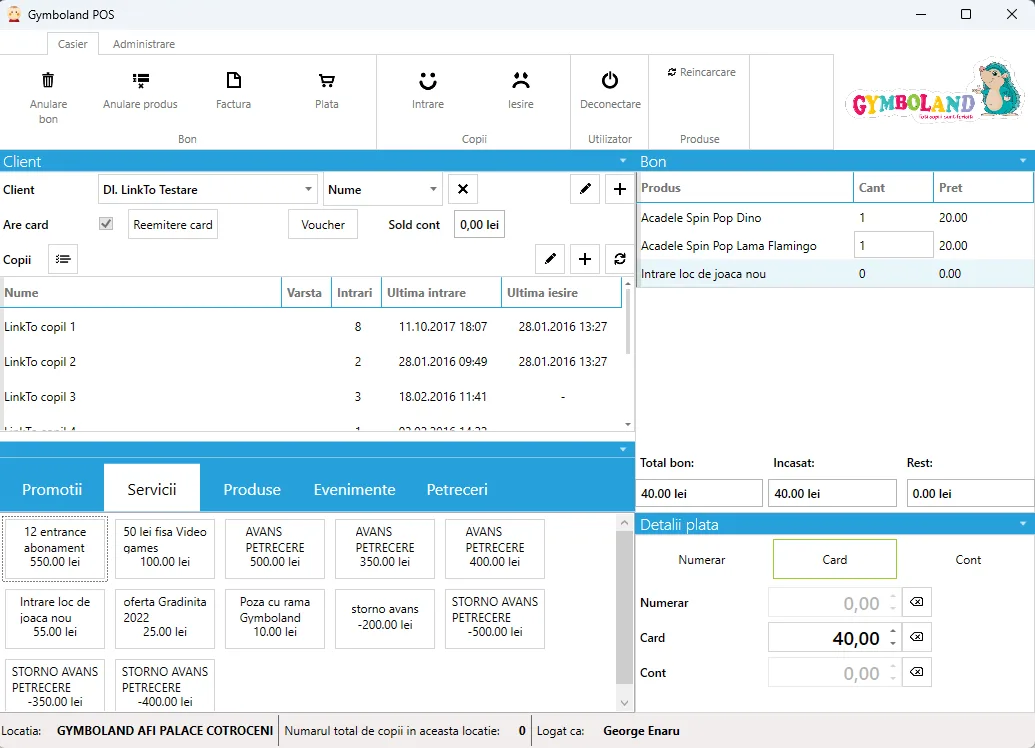
The point-of-sale application. On the left, a client record with the children registered to it and their entry and exit times; below, tiles for services and promotions such as entry passes and party deposits. On the right, the current receipt with its line items and the payment split between cash, card and account.
The point of sale, showing a test client account. Services, promotions and the open receipt sit side by side.
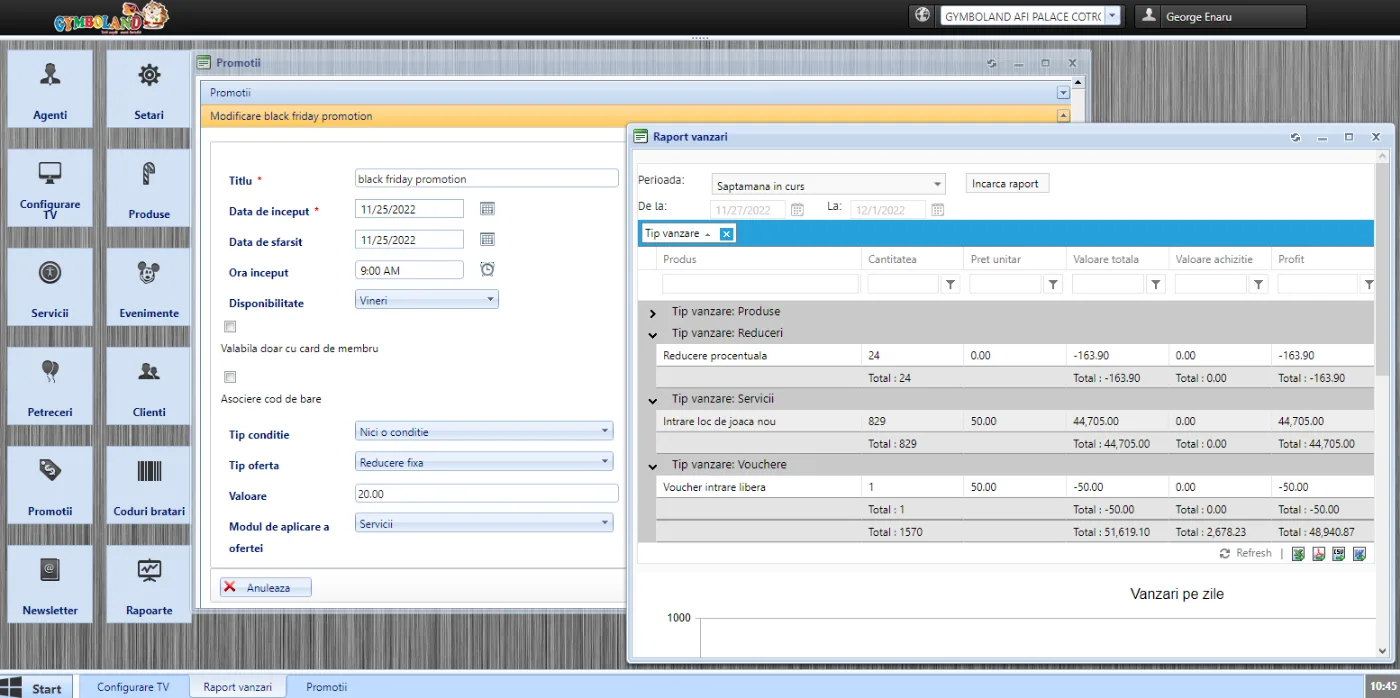
The back office. A left-hand menu lists agents, settings, TV configuration, products, services, events, parties, clients, promotions, bracelet codes, newsletter and reports. A promotion is open for editing beside a sales report grouped by sale type — products, discounts, services and vouchers.
The back office: a promotion being configured, next to the sales report it will show up in.
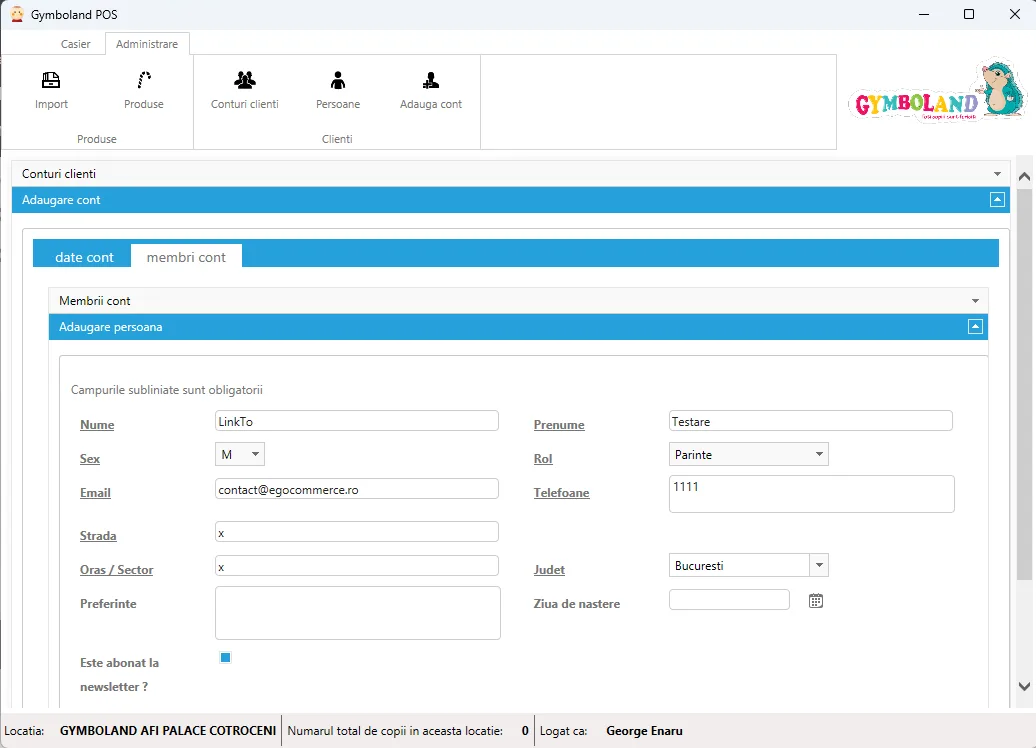
The client account form, adding a person to an account. Fields for surname, first name, sex, role, email, phone numbers, street, city, county, preferences, date of birth and a newsletter subscription checkbox.
Adding a member to a client account. The values shown are test data.

← All projects

Contact us today to start building your next project together.

Send us a message

Give us a call+40 728 210 881Monday to Friday, 09:00–18:00
Send us an emailcontact@envoolab.comWe reply as soon as we can
Visit us5 Turnului, BrașovYou're welcome anytime